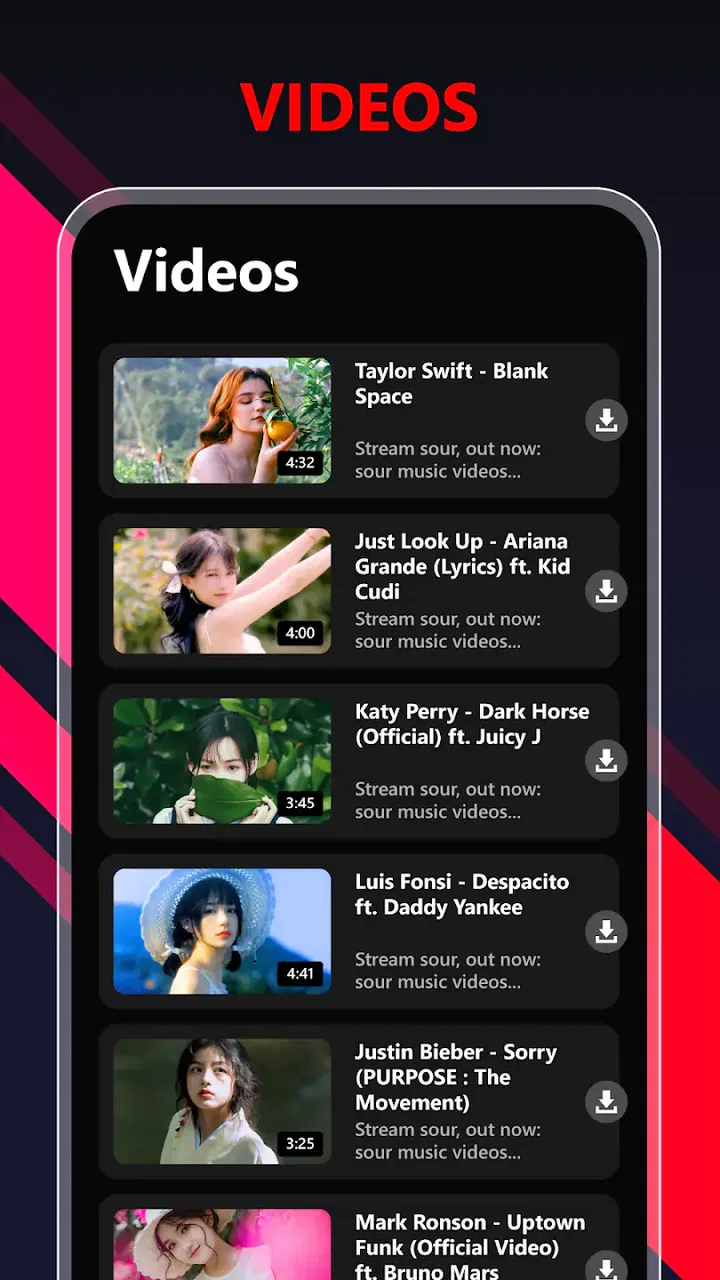
Tube Video Downloader
- 4.0
- Rating
- 1.00M
- Installs
- Free
- Price

 Analysis by App-foxy
I tried Tube Video Downloader with a simple goal: take a video I wanted to keep available for later and see whether the process felt practical from start to finish. The app sits in the video players and editors category, comes from Media Tools Studio, and is free to install. Its store summary promises a broad downloading tool, but the useful question is less dramatic: can it fit into an ordinary phone workflow without creating confusion, clutter, or unnecessary effort?
My overall impression is that it is aimed at people who want a direct video-saving utility rather than a full editing suite or a sophisticated media library. The app has reached over a million installs and holds a 4.0 average from around fourteen thousand ratings, so it clearly appeals to a substantial audience. That does not make it perfect, but it suggests the basic idea is easy enough for many people to understand.
I would approach it as a practical tool for personal, permitted downloads. That distinction matters. Saving a video for offline viewing can be convenient, but users still need to respect the creator’s rights and the rules of the service where the video appears. The app may help with the technical part; it does not turn every online video into material that can be freely copied or redistributed.
You May Also Like

 Blood Strike: 2.5 Anniversary
Blood Strike’s Loadouts Turn Every Drop Into a Tactical Gamble
A close look at Blood Strike’s custom loadouts: how fast access to signature weapons reshapes its battle royale rhythm, rewards preparation, and narrows the gap between fights.

 Pandora - Music & Podcasts
Pandora’s Music Is Easy to Start, but Harder to Recover
Pandora’s strength is its low-effort path from a seed to a station. Its weak spot is how much confidence it asks you to place in connection, setup, and quiet recovery.

 8 Ball Pool
 Is Built on Rivalries, Rematches, and Routine
A close look at the rivalries, rematches, shared routines, and unanswered safety questions that turn a quick pool match into a persistent mobile community.

 Samsung Music
’s Quiet Strength Is Playing What You Already Own
Its reach comes less from spectacle than from dependable access to a personal library. That simplicity is both the app’s strongest retention engine and its ceiling.

 AccuWeather: Weather Radar
AccuWeather Review: A Quick, Clear Forecast for Everyday Decisions
For everyday plans, the best forecast is the one you can understand quickly. AccuWeather makes rain timing, radar, and local conditions easy to act on, with a few trade-offs.

 Hill Climb Racing
Why Hill Climb Racing Still Turns Crashes Into One More Run
A tiny car, a bumpy hill and one more upgrade: Hill Climb Racing keeps resurfacing because its simple chaos makes every near-miss feel personal.
More From Our News Desk



From finding a video to keeping it on the phone
I start with the practical question behind any download: where did I find the video, and do I have permission to keep it? This section follows that choice through to a local copy, while keeping the goal modest: a clip I can return to when a connection is inconvenient. From there, I look at what happens during heavier use and where the process may need a little more care.
The starting condition: a video you want available later
The most realistic reason to open this app is not curiosity about downloading technology. It is a small everyday problem. Perhaps I am preparing for a journey, collecting a tutorial for a place with unreliable reception, or keeping a useful reference clip close at hand. In those situations, the value comes from reducing dependence on a live connection.
Before beginning, I would first decide whether the video is appropriate to save. Content that I created myself, material explicitly offered for download, or a clip whose owner has granted permission is the safest use case. This is an important part of the workflow because the app’s convenience should not encourage careless copying.
The free entry point is helpful for trying the experience without committing money immediately. At the same time, the app includes in-app purchases ranging from $1.99 to $31.99 per item. I would therefore treat the free installation as an opportunity to inspect the workflow, not as a promise that every possible function will remain unrestricted.
Tube Video Downloader is suitable for people who prefer a focused utility. Someone looking for trimming, captions, color correction, transitions, or publishing tools will probably feel that a dedicated editor is a better match. This app belongs earlier in the process: getting a video onto the device so it can be viewed or handled locally.
Step one: identifying the source and choosing a sensible target
In a normal workflow, the first handoff is between the place where the video is discovered and the downloader itself. That handoff is where many tools become awkward. A user may need to copy a video address, share it to another app, or use an internal browsing screen, depending on how the source is presented.
I would keep the source and the downloader conceptually separate. First, confirm that the video is the right one and that saving it is allowed. Then pass the relevant video information into the app. This avoids downloading a low-quality duplicate or discovering afterward that the wrong clip was selected.
A useful habit is to give the eventual file a clear purpose before starting. If I am saving several cooking demonstrations, for example, I would think in terms of a small reference collection rather than a random pile of files. Even when the app handles the download correctly, the next handoff goes to the phone’s storage, and poor organization there can make the result harder to use than expected.
This is one of the less obvious trade-offs with a straightforward downloader: the simpler the capture step feels, the more responsibility remains with the user afterward. A dedicated media manager may offer stronger organization, while a focused downloader can be quicker when I only need one clip.
Step two: checking the download before committing
Once the video is recognized, I would pay attention to the choices shown before starting. The important questions are practical: where will the file go, what quality is being selected, and how much space will it occupy? I would not automatically choose the highest available option. A short instructional clip may be perfectly useful at a moderate size, while a long presentation can consume storage quickly.
This is especially relevant on phones with limited free space. A download that succeeds technically can still create a problem if it leaves too little room for photos, updates, or messages. My advice is to check available storage first and decide whether the video needs to be watched on a large screen. If not, a smaller file may be the more sensible outcome.
The app’s current version is 5.3, and it supports devices running Android 8.0 or later. That makes it accessible to many existing Android phones, although anyone using an older system should check compatibility before planning around it. The age rating is Everyone, which makes the app broadly approachable, but that rating should not be confused with a guarantee that every video encountered through an external source is suitable for every viewer.
Step three: letting the file move from source to device
The actual download is the point where the workflow changes hands. The source provides the video, Tube Video Downloader manages the transfer, and the phone becomes the final storage location. I find it useful to leave the app alone during this stage rather than repeatedly switching between screens. Interrupting a transfer, closing the app, or losing the connection can turn a simple task into a restart.
This is also where expectations need to stay realistic. A downloader cannot make a slow source fast, repair a broken video, or guarantee that an external service will continue to expose the same content. If the source changes its access rules or the video is removed, the handoff may fail before the app can produce a usable file.
For a dependable routine, I would start larger downloads while connected to a stable network and avoid beginning them when the phone is nearly full. I would also wait for the transfer to finish before assuming the file is ready. A visible item in a list is not necessarily the same thing as a complete, playable video.
The second handoff: from download list to everyday playback
After the transfer, the app’s usefulness depends on what happens next. I want to find the file without guessing, open it without a second round of searching, and know whether it is stored where I expect. This is the handoff from downloader to playback, and it is more important than the initial tap because it determines whether the saved video is genuinely convenient.
For a travel scenario, I would test one downloaded clip before leaving home. I would switch off the connection or use a location with poor reception, open the file, and confirm that it plays properly. That small check can reveal an incomplete transfer, an unexpected storage location, or a format issue while there is still time to fix it.
If the video is meant for another person, I would also consider the destination device before downloading a large file. A file that plays comfortably on my phone may not be the easiest item to send, edit, or open elsewhere. This is where a general file manager or a more advanced media application may offer a smoother next step than a downloader alone.
I would not use Tube Video Downloader as my only long-term archive without a separate backup plan. Phone storage is vulnerable to accidental deletion, device failure, and replacement. A saved local copy is useful for immediate offline access, but it is not automatically a backup. For important personal recordings, I would keep another legitimate copy in a location I already trust.
What the result feels like in practice
When the source is compatible, the connection is stable, and the file is saved in a useful quality, the result is straightforward: I end up with a video that can be opened later without relying on the original viewing session. That is the app’s strongest practical benefit. It reduces a live, online task to a local playback task.
The benefit is particularly clear for short-term offline use. A student might save an authorized lesson before commuting. A traveler might keep a permitted language exercise ready for a flight. Someone working in a building with inconsistent reception might store a reference demonstration before starting a repair. In each case, the app is valuable because the outcome is concrete and immediate.
There is also a useful separation between downloading and editing. If I only need to watch a clip, I do not need the extra controls found in a full editor. That can make this kind of app feel less intimidating. On the other hand, if my goal is to remove sections, add narration, change the aspect ratio, or prepare a polished social post, I would move the file into an editor afterward rather than expecting this downloader to complete that job.
The 4.0 average is a fair signal of a generally useful but not universally smooth experience. I would read it as evidence that the core idea works for many users while leaving room for source-specific failures and individual expectations. A downloader’s performance can vary dramatically depending on where the video comes from, so a positive general rating should not be treated as a guarantee for every link.
Where the workflow breaks
The first weak point is source compatibility. The store’s short description is simply “Tube Video,” and the broader summary is equally brief, so I would not assume that every video platform, page type, or protected stream will behave the same way. A tool like this is most comfortable with straightforward, accessible video sources. It is a poor choice when I need guaranteed support for a particular service with strict restrictions.
The second weak point is the legal and practical difference between viewing and reusing. Even if a file can be saved, that does not mean it can be uploaded elsewhere, sold, edited into a new project, or shared publicly. I would use the app for personal access only when the permission is clear. Creators and professionals who need licensing records should use a source that explicitly supplies downloadable files and usage terms.
The third issue is storage management. Downloading is easy to begin and easy to forget. Over time, old clips can occupy space silently, especially when they were saved for a one-time situation. I recommend reviewing the folder after a trip, course, or project ends. Delete material I no longer need, and keep only the files with a clear future purpose.
There can also be friction around the point where a downloaded item leaves the app. If I need detailed sorting, metadata editing, batch conversion, or a carefully managed archive, a more specialized file or media manager may be better. Tube Video Downloader makes sense as a capture step, not necessarily as the center of an entire content library.
In-app purchases are another reason to inspect the experience before building a routine around it. The app is listed as free, but optional purchases can range from $1.99 to $31.99 per item. I would avoid assuming that paying automatically solves every source problem. A purchase may improve convenience or unlock particular capabilities, but it cannot change the permissions imposed by an external service or make unavailable content accessible.
Who should use it, and who should choose something else
I think Tube Video Downloader is a reasonable fit for an Android user who wants a direct way to save permitted videos for later viewing. It is especially suitable when the need is occasional, the source is uncomplicated, and the desired result is a local file rather than a finished creative project.
I would recommend looking elsewhere if the main requirement is professional editing. An editor with a timeline, audio controls, captions, and export settings will be more appropriate for turning downloaded footage into a presentation or social video. I would also choose a platform’s official offline feature when it is available and fits the intended use, because that route usually keeps playback closer to the original service’s rules and account system.
People who need a carefully cataloged collection may prefer a media manager with stronger folders, tags, search, and backup integration. Families should also remember that the Everyone rating describes the application’s broad audience category, not the subject matter of every video a user may attempt to save.
My practical setup for using it without frustration
I would use a simple four-part routine. First, verify permission and source. Second, check storage and choose quality based on the actual viewing situation. Third, wait for completion on a reliable connection. Fourth, play the file offline before deleting the original link or leaving the location where the connection is available.
I would also create a cleanup point. After the journey, class, or repair is finished, I would review the saved videos and remove temporary material. For clips that matter, I would place a second copy in a separate backup location. This turns the app from a quick download button into a predictable workflow with a clear beginning and end.
Finally, I would keep expectations modest. The app’s strength is convenience at the moment I need a local copy. Its weakness is that the surrounding ecosystem—source restrictions, storage, file handling, and reuse rights—still requires user judgment. Knowing that in advance prevents the most common disappointment: expecting a downloader to behave like an official offline service, an archive, and an editor all at once.
Final assessment
After following the complete path from a permitted source to offline playback, I see Tube Video Downloader as a useful, focused Android utility rather than an all-purpose video solution. Media Tools Studio has positioned it for a broad audience, and the free installation makes it easy to test on compatible devices. Its current version, 5.3, supports Android 8.0 and newer, while the Everyone rating keeps the app itself approachable.
My recommendation is conditional but positive: use it when you need a local copy for a legitimate, clearly defined purpose and the source behaves normally. Keep an eye on storage, test the finished file, and do not confuse technical access with permission to redistribute. If your needs extend into professional editing, official subscription-based offline viewing, or long-term media archiving, another tool will probably give you a cleaner result.
For the right user, the appeal is simple. It can shorten the distance between “I need this video later” and “I can watch it now without depending on the connection.” That is not a complete media workflow, but for occasional offline viewing, it can be a useful part of one.
FAQs for Tube Video Downloader
01Is Tube Video Downloader free to use?
Yes, Tube Video Downloader is free to download and use. However, it may include in-app purchases or ads to support the developers. Users should be aware that while the core functionality is free, certain features might require payment or may be unlocked through a premium version.
02Can I download videos from all platforms using Tube Video Downloader?
Tube Video Downloader supports a wide range of platforms, but not all. It’s essential to check the app’s description for a list of supported sites. Be mindful that downloading videos from some platforms may violate terms of service, so always ensure compliance with platform policies.
03Is Tube Video Downloader safe to install on my device?
Tube Video Downloader is generally safe if downloaded from reputable sources such as the Google Play Store or Apple App Store. Users should avoid third-party sites that might host modified or malicious versions of the app. Always check user reviews and permissions required by the app before installation.
04Does Tube Video Downloader allow for high-quality video downloads?
Yes, Tube Video Downloader typically allows users to select the quality of the video they wish to download. Options often range from standard definition to high definition, depending on the source video’s availability. This flexibility makes it convenient for users who prefer different quality settings.
05How user-friendly is Tube Video Downloader for beginners?
Tube Video Downloader is designed with a user-friendly interface, making it accessible for beginners. It usually offers step-by-step instructions for downloading videos. However, users new to downloading apps may still need to familiarize themselves with the process through tutorials or the app's support section.
Pros
- Fast download speeds for large files
- Supports multiple video formats
- User-friendly interface design
- Allows background downloads
- No intrusive ads during use
Cons
- Limited support for certain sites
- Occasional crashes on older devices
- Requires in-app purchase for HD
- No built-in media player
- Missing advanced download settings

Tube Video Downloader
Gallery